
SakshyaYantra Media on the command line
Every command this product contains and every parameter it accepts: 39 commands, 142 parameters. Read from the shipping build, version 20.54.3.2. The help text says what a switch does; each entry here adds when a business reaches for it and what it costs.
Before the first command
- Reading a physical drive needs administrator rights. Working from a disk image needs none.
- The source is opened read-only for the whole session, and the application refuses a destination on the drive being read.
- Set the mode before the scan. A recovery-mode scan does not become evidential afterwards.
- Everything below is available in the application as well; the command line is the scriptable surface, not a separate product.
recoveryantra acquire
-o | Folder to write the image into (default: ./Evidence) When to use it. Point this at the evidence store for the case, not at the machine's own disk. On a booted rescue USB the default writes to the stick itself, which is usually what you want in the field. What it costs. The folder must have room for the whole source. The pre-flight refuses rather than filling the disk half way through. |
|---|---|
--retries | Retries for bad sectors (default 3) When to use it. Raise it when the drive is readable but marginal and the case justifies a slow, thorough pass. Lower it to 0 or 1 when the drive is deteriorating and getting a complete-enough image quickly matters more than the last few sectors. What it costs. Every retry is another read of a failing surface. On a drive that is physically degrading, high retry counts can cost you the areas you have not reached yet. |
--force | Start even if the pre-flight checks object. When to use it. Only when you have read the pre-flight objection and know it is wrong for your situation, for example free space reported incorrectly by a network share. What it costs. The pre-flight exists to stop a job that cannot finish. Forcing past a genuine space or same-drive objection loses work, and on the same-drive case it can overwrite the very data being recovered. |
--write-block | Engage a SOFTWARE write-block (OS read-only) on the source first. Best-effort and not a substitute for a hardware write blocker; layered with the fingerprint. When to use it. Use on every evidential acquisition where no hardware write blocker is available. It sets the operating system's own read-only flag on the source before the first read. What it costs. It is best effort at the operating-system level and is not equivalent to a hardware write blocker. State which one you used in the report; do not describe a software block as a hardware one. |
--format | Image format: raw (.img, resumable) or E01. Asked for when omitted. When to use it. raw when the image will be recovered from or examined on the same bench and a stopped copy must be resumable (the .map carries on); e01 when it goes to a lab that expects Expert Witness containers or when the destination is smaller than the drive and compression has to make it fit. Asked for on screen when omitted. What it costs. An E01 copy cannot be resumed part way; a raw copy takes the drive's full size on the destination. |
--boot | On the RecoverYantra bootable USB: offer the USB's own DATA partition and any other attached drive as the destination, never the drive being copied or the boot medium; record the read-only protection. When to use it. Set by the RecoverYantra bootable USB's own launcher: the USB's DATA partition is offered first as the destination, then any other attached drive that is neither the source nor the boot medium, and the manifest records that every disk arrived read-only. What it costs. Outside the bootable USB there is no live medium, so the flag is ignored with a note and -o decides where the image goes. |
--operator | Examiner asserting lawful authority (recorded) When to use it. Record the individual asserting lawful authority for the acquisition. Required practice for anything that may be produced in proceedings. |
--authority | Lawful basis: warrant / consent / statutory power When to use it. Record the lawful basis: warrant, consent, or a statutory power. Write what it actually is, and keep the underlying document with the case file. What it costs. This field records the assertion. It is not legal advice and it does not create authority you do not have. |
--org | Examiner's organisation (recorded) When to use it. The examining organisation, as it should appear on the report and in the custody record. |
--case | Case / FIR reference (recorded) When to use it. Your own case or FIR reference. Set it at acquisition so every later artefact carries the same identifier. What it costs. Adding it afterwards means the earliest records in the trail carry a different reference from the rest. |
recoveryantra ai
<aicmd> | When to use it. Settings, keys, connection tests, provider re-validation, and the signed provider/model manifest - each documented on its own line. AI is optional and off by default in every build. |
|---|
recoveryantra audio
<aucmd> | When to use it. Audio PROCESSING: enhance a recording, irreversibly redact time ranges, measure the offset between two clips by their sound, or mux a processed track back onto a video - each documented on its own line. Every verb writes a NEW file and never touches the source. |
|---|
recoveryantra authenticate
<file> | Image to examine (omit with --list-tools) When to use it. The image or video the authenticity workbench examines. |
|---|---|
--models | Also run these ML models (each is refused by name if this build cannot run it) When to use it. Also run these ML models, alongside the classical methods that always run. What it costs. A model this build cannot run is refused by name, not silently skipped. |
--list-tools | List the image & video authentication tool set (40+ tools) and exit When to use it. List the image & video authentication tool set (40+ tools, grouped) and exit, without examining a file. |
--tools | Run the whole image tool set on FILE, printing each tool's observation / interpretation / conclusion separately When to use it. Run the whole image tool set on the file, printing each tool's observation and interpretation separately. What it costs. The conclusion is reserved for the examiner and is never asserted by a tool. |
--tool | Run one named authentication tool on FILE When to use it. Run ONE named authentication tool on the file (e.g. ela, prnu_map, clone_keypoint). |
--group | With --tools, restrict to one group (file/global/local/camera/deepfake/video/geometry) When to use it. With --tools, restrict to one group: file, global, local, camera, deepfake, video or geometry. |
--include-models | With --tools, also run the deepfake model tools (slower) When to use it. With --tools, also run the deepfake model tools (slower - they load a classifier). What it costs. A deepfake tool never asserts a verdict; with no pack it says so, with a pack it emits a labelled model observation. |
--case | When to use it. Attach the examination to this case, so the finding sits beside the exhibit it was run against. |
--examiner | With --exam / --audio / --synth / --document / --voice: the examiner's name, written into the Judicial and DETAILED reports as typed (recorded, not verified). Without it the reports say no examiner was named When to use it. The examiner's name for the three-tier report of --exam, --audio, --synth, --document and --voice; it is written into the Judicial and DETAILED tiers as typed. What it costs. The name is recorded, not verified; without it the reports say that no examiner was named. |
-o | Also write the full report here When to use it. Also write the full authenticity report to this folder, for attaching to a file or handing to a reviewer. |
--video-timeline | Run the video/temporal authenticity examination on FILE (needs the media worker: ffmpeg/ffprobe) and print a per-segment timeline When to use it. Examine a VIDEO instead of a still: walk the container and the pixels over time and lay the findings out as a per-segment timeline - re-encoding, edit lists, splice points and rate-mode changes shown where they occur. What it costs. The timeline reports signals segment by segment and never a single 'edited/authentic' verdict - the reading stays the examiner's. |
--triage | With --video-timeline, ALSO run the AI triage lane: the trained deepfake / AI-image detectors' per-frame score series, shown as a SEPARATE, labelled 'AI observation (triage)' lane - never a finding, never merged with the fired-signal timeline, and layered on the examiner's sealed deterministic reading. Needs a local detector model pack; with none installed the lane is empty and says so. When to use it. With --video-timeline, ALSO run the AI triage lane: the trained deepfake/AI-image detectors' per-frame scores, shown as a separate, labelled 'AI observation (triage)' lane layered on the fired-signal timeline. What it costs. Triage is never a finding and never merged with the timeline; it is a lead for the examiner, labelled as a model observation. |
--exam | One-button Video Authenticity Exam: run every video authenticity method on FILE and write the three-tier report (Executive / Judicial / DETAILED) to -o When to use it. The one-button Video Authenticity Exam: run every video authenticity method on the file and write the three-tier report - Executive, Judicial and DETAILED - to the -o folder. It automates the frame-by-frame pass an examiner would otherwise do by hand. What it costs. The DETAILED report carries each method's measurement, its scientific basis and how to re-run it, so the finding can be independently re-derived; the exam still asserts NO verdict - the conclusion is the examiner's. |
--audio | One-button Audio Authenticity Exam: run every audio authenticity method (ENF mains-hum, splice, noise-floor, channel) on FILE and write the three-tier report (Executive / Judicial / DETAILED) to -o When to use it. The one-button Audio Authenticity Exam: run every audio authenticity method - ENF mains-hum continuity, splice/discontinuity, noise-floor consistency and stereo-channel consistency - on the file and write the three-tier report (Executive, Judicial, DETAILED) to the -o folder. It is the voice/audio counterpart of --exam and gives a case the audio forensics pillar competitors ship. What it costs. The DETAILED report carries each method's measurement, its scientific basis (ENF authentication, spectral splicing) and how to re-run it, so the finding can be independently re-derived; the exam asserts NO verdict - the conclusion is the examiner's. |
--synth | One-button synthetic-media / deepfake exam on FILE (image or video): classical GAN/diffusion, JPEG-grid, face-blend and temporal/flow cues, plus any signed neural pack, into the three-tier report to -o. Reports CANDIDATES, never a verdict. When to use it. The one-button synthetic-media / deepfake exam for an image or video: classical cues (GAN/diffusion spectral artifacts, DCT periodicity, colour co-occurrence, JPEG-grid consistency, face-blend, and for video temporal-face and optical-flow-boundary cues) plus any locally installed, signature-verified neural detector, written into the three-tier report (Executive, Judicial, DETAILED) at -o. What it costs. It reports CANDIDATES against stated thresholds, never 'this is a deepfake' / 'authentic'; any neural pack's output is a labelled AI observation, never a finding. The DETAILED tier carries each cue's measurement, basis and re-run command so it can be re-derived. |
--document | One-button document authenticity exam on FILE (PDF or scanned image): revision history, xref, signature byte-range, fonts, overlaid text, embedded-scan ELA / ghost / quantization and AI-text signals, into the three-tier report to -o. Descriptive, no verdict. When to use it. The one-button document authenticity exam for a PDF or a scanned image: it reads the revision history (earlier saved versions), the cross-reference table, the signature byte-range, the fonts and any text drawn over the page, and on an embedded or standalone scan runs ELA, JPEG-ghost and quantization-table checks, then writes the three-tier report to the -o folder. It also reports AI-generated-text signals where the text is extreme-regular. What it costs. It states measurements, never 'forged' or 'authentic'; the conclusion is the examiner's. The DETAILED tier carries each method's basis and re-run command. Signature checking recomputes the digest over the ByteRange - it does not verify the certificate chain, and says so. |
--voice | One-button synthetic-voice exam on FILE (audio): vocoder / upsampling / phase artifacts, prosody, pause-breath and consistency cues, plus any signed neural pack, into the three-tier report to -o. Reports CANDIDATES, never a verdict. When to use it. The one-button synthetic-voice exam for an audio recording: vocoder and upsampling artifacts, phase coherence, prosody, and the pause/breath pattern, plus any locally installed signed neural anti-spoofing model, written into the three-tier report at -o. What it costs. It reports CANDIDATES against stated thresholds, never 'cloned' or 'genuine'; a good clone can defeat the classical cues and the limits say so. Any neural pack's output is a labelled AI observation, never a finding. |
--max-frames | With --video-timeline, decode at most N frames When to use it. With --video-timeline or --exam, decode at most this many frames (default 240) so a long recording is sampled rather than fully decoded. What it costs. Fewer frames is faster but coarser; the report states how much of the video the timeline actually covers. |
--segment-seconds | With --video-timeline, the timeline's segment width When to use it. With --video-timeline, the width in seconds of each timeline segment the signals are summarised into. |
--max-seconds | With --audio / --voice: analyse at most SEC seconds of the recording (default 1800 = 30 min); 0 analyses the whole file. The report's coverage line states what was examined either way. When to use it. With --audio or --voice, how many seconds of the recording the exam analyses (default 1800, i.e. 30 minutes); 0 analyses the whole file. A long recording is sampled from the start rather than fully decoded. What it costs. The report's coverage line states exactly what was examined and what was not, so a bound is never a silent gap; a shorter window is faster. |
--mains-hz | With --audio: read the ENF mains-hum trace against this nominal grid frequency (50 or 60 Hz) instead of letting the exam pick the stronger family. Use it when the recording's country/grid is known and the result was ambiguous; a wrong value reads the trace about 10 Hz off. When to use it. With --audio, the nominal mains frequency (50 or 60 Hz) the ENF hum trace is read against. Set it when the recording's country or grid is known and the exam's 50/60 Hz result was ambiguous; left unset, the exam picks the stronger family. What it costs. It fixes the nominal the trace is compared with; a wrong value reads the trace about 10 Hz off, so set it only when the grid is known. |
--camera-reference | Build a PRNU reference fingerprint from these images, all from ONE known camera (several plain/flat-field shots identify the device best). Combine with FILE and --tool prnu_identify to test it against the reference in one step, or with --save-reference to keep it without testing anything yet When to use it. Build a PRNU reference fingerprint from several images, all taken by ONE known camera - plain/flat-field shots (sky, a wall) identify the device best. Combine with FILE and --tool prnu_identify to test that file against the reference in one run, or with --save-reference to keep the fingerprint without testing anything yet. What it costs. Without a reference, --tool prnu_identify still runs - it refuses honestly and names what is missing, rather than guessing a camera. |
--save-reference | Save the fingerprint built from --camera-reference to this file (.npy), so it can be reused with --reference without rebuilding it from the source images When to use it. Save the fingerprint built from --camera-reference to this .npy file, so a later run can test against it with --reference instead of rebuilding it from the source images every time. |
--reference | A previously saved PRNU reference fingerprint (.npy, from --save-reference) to test FILE against with --tool prnu_identify, instead of rebuilding one now When to use it. A previously saved PRNU reference fingerprint (.npy, from --save-reference) to test FILE against with --tool prnu_identify, instead of rebuilding one from images now. What it costs. Give --camera-reference or --reference, never both - one source of truth per run, never a silent preference between them. |
--pce-threshold | The peak-to-correlation-energy decision threshold --tool prnu_identify reports FILE against (the conventional default is 50.0 - see PARAM_GUIDANCE for what the number means) When to use it. The peak-to-correlation-energy decision level --tool prnu_identify reports FILE against (Goljan/Fridrich/Filler 2009); the conventional default is 50.0. What it costs. A HIGH PCE means the query's sensor noise matches the reference device's fingerprint - consistent with that device, not proof of it. Strong compression, resizing and denoising weaken PRNU, and a cropped or rotated image needs alignment before this number means anything; the threshold is conventional, not a certified error rate for this exact image. |
recoveryantra batch
<batch_cmd> | When to use it. Queue several drives to image and/or recover, then run them in sequence with nobody watching. `new` starts a batch; `add` queues a job on it; `list`/`status` show its progress; `remove`/`move` edit the queue before it runs; `start`/`resume` run it; `pause`/`stop` are typed in another window while it is running; `requeue` puts failed or skipped jobs back once the cause is fixed; `delete` forgets a batch; `unlock` clears a run lock a crash left behind; `report` writes what happened across the whole batch. `depends` changes which jobs a job waits for, `parallel` sets how many run at once, and `playbook` saves a whole bench procedure once and applies it to every drive that comes in. Use it when there are more drives on the bench than there is time to sit and watch each one. |
|---|
recoveryantra bodycam
<bc_command> | When to use it. The body-cam file or folder, then options: it identifies the container and streams, extracts the recording times, device/officer identifiers and GPS track, keeps the three times (media PTS, recorder overlay clock, case time) separate, and hashes the file before and after. `--out DIR` writes the report; `--case-time k=v` supplies the case clock; `--json` prints the structured result. What it costs. Recognition is by markers in the metadata, never the file name; an unrecognised file is refused, not guessed. A truncated recording is reported, never padded. Vendor-proprietary wrappers with no public spec are inventoried and marked "needs a sample to certify". |
|---|
recoveryantra capabilities
--enable | Turn on an advanced method (e.g. checkm8, mtk_bootrom, qualcomm_edl) When to use it. Turn on an advanced acquisition method for a case that needs it and is authorised for it. These methods interact with the device, so they are off until an examiner opts in on the record. What it costs. Enabling is recorded in the audit trail with the operator and case. An advanced method can alter the device; decide before the exhibit is in front of you, not during. |
|---|---|
--disable | Turn an advanced method back off When to use it. Turn a method back off once the step that needed it is complete, so the next case starts from the conservative default. |
--tools | Show the acquisition toolbox: the public methods (checkm8/mtkclient/edl/adb...), what's installed, and what is equipped for this case When to use it. Run before an acquisition to see which external tools are actually installed on this machine and which methods are therefore available today. What it costs. The product orchestrates the operator's own tools for advanced methods; it does not bundle exploits. A method with no tool present is not available however the case is authorised. |
--operator | Examiner making the choice (recorded) When to use it. Name the examiner making the decision. The choice belongs in the record alongside the result it produced. |
--case | Case reference (recorded) When to use it. Tie the capability decision to the case it was made for. |
recoveryantra case
<case_cmd> | When to use it. Group several recovered sources - a laptop disk, a backup stick, a phone image - into one case for a single customer or job, and see everything recovered across them in one place, deduplicated by hash. `new` starts a case; `add` puts a source into it; `list` shows the cases or one case's sources; `status` totals its files and duplicates; `dedup` lists files found in more than one source. Use it when a job is more than one drive and you do not want to hand back the same file three times. |
|---|
recoveryantra caseqa
<rest> | ask "<question>" --case FOLDER | index --case FOLDER | cite --citation FILE (see caseqa ... -h) When to use it. A verb and its options: `ask "<question>" --case FOLDER` returns the verbatim passages of the case that answer it, each with an exact citation (exhibit id + byte/field offset), or says "not found in this case"; `index --case FOLDER` builds the retrieval index; `cite --citation FILE` re-checks a saved answer's citations against the live case. For `ask`, -k N sets how many passages come back, --kind evidence|finding|note|report|overlay|exhibit and --tier executive|judicial|detailed narrow what is searched (both repeatable), --json prints the whole result including the citations, and --include-ai-observations searches AI observations already in the case (they are labelled, and excluded otherwise). --embedder DIR adds meaning-based search from a local embedding model. Add `--model PATH` (local only) for an optional summary, which needs --reading "<your own reading>" or --inconclusive and --examiner NAME first: the model is not even loaded until the reading is sealed. What it costs. The answer is grounded, cited retrieval, not a chatbot: an unanswerable question is refused rather than guessed. Any local-model summary is a labelled AI observation, sealed after the examiner's own reading, never a finding; a claim citing an unsupplied passage refuses the whole answer. The retrieval makes no network connection. |
|---|
recoveryantra casequery
<question> | The question to ask over the case When to use it. The triage question to ask over the case's own indexed data, such as who met whom and when, or whether a confession appears. Retrieval returns the case items that bear on it; a model answer, if any, is an observation, never a finding. |
|---|---|
--case | The case folder (defaults to the most recent case) When to use it. The case folder to query when it is not the most recent case, which is used by default. Only the case's own indexed data is searched, nothing outside it. |
--reading | Your OWN reading of the case, sealed into the audit trail before any model answer is shown When to use it. Your own reading of the case, sealed into the audit trail before any model answer is disclosed, so the record shows what the examiner concluded independently of the tool. What it costs. It is sealed once; a later change is recorded as an edit, never as the original reading. |
--inconclusive | Seal your reading as inconclusive instead of typing one When to use it. Seal your reading as inconclusive rather than typing one, for when the case does not yet support a reading but you still want the model's words disclosed and audited. |
--examiner | Who is asking, recorded with the sealed reading When to use it. Who is asking, recorded with the sealed reading and the audited reveal so the trail names the person who saw the model's words. |
--reveal | After sealing a reading, disclose the model's verbatim words (an audited event). Without a sealed reading the model's words stay sealed When to use it. Disclose the model's verbatim words after a reading is sealed, which is an audited event recorded with who did it and when. What it costs. The model's text is an observation, never a finding; revealing it puts a record in the audit trail that it was seen. |
--limit | How many case items to retrieve as context When to use it. How many case items to retrieve as context for the question, when the default breadth is too wide or too narrow for the case. |
recoveryantra caseworkflow
--case | The case folder; omit to use the most recent case When to use it. The case folder to report on. Omit it and the most recently worked case is used, so an examiner mid-case runs the command with no arguments. Read only - the trail is never re-opened or locked. What it costs. Free: it reads the case's own audit.jsonl and case.json and writes a report; it charges nothing and touches no evidence. |
|---|---|
--out | Where to write the report (default: the case's reports/ folder) When to use it. Where to write the report. The default is the case's own reports/ folder, so it travels with the case; point it elsewhere to hand a copy straight to a shared drive. |
--format | Comma list of html,pdf,text (default all three; PDF only where reportlab is present) When to use it. A comma list of html, pdf and text (default all three). The HTML is self-contained - screenshots are embedded - so one file can be shared as the whole workflow; PDF is written where reportlab is present. |
--shot | A screenshot to attach (repeatable); PATH or PATH::caption When to use it. A screenshot to attach, repeatable, as PATH or PATH::caption. Each is embedded in the HTML so the report is one shareable file; a path that cannot be read is noted in the report as not-found, never dropped silently. |
recoveryantra cctv
--device | Recorder disk (e.g. \\.\PhysicalDrive2 or /dev/sdb) When to use it. Point at the recorder's disk when you have the disk itself and the recorder is unavailable or its export function is broken. What it costs. Reading a recorder disk directly is read-only, but the recorder must be powered down and the disk removed. A running recorder overwrites the oldest footage continuously. |
|---|---|
--image | Image of the recorder disk (.dd/.img/.e01) When to use it. Preferred over --device for any matter that may be produced. Image the recorder disk once, then work from the image. |
-o | Where to write recovered clips (required when scanning a disk/image) When to use it. A folder on the case store with room for the clips. Recorder disks are large and footage recovers as many separate files. |
--min-clip | Ignore fragments smaller than this many bytes (default 65536) When to use it. Raise it when a sweep is returning large numbers of very short fragments and the incident you care about is minutes long. Lower it when the event of interest is only a few seconds. What it costs. Raising the floor discards short fragments permanently for that run. If the incident may be brief, run low first and filter afterwards. |
--max-clips | Stop after N clips When to use it. Cap the run when you are sampling a large recorder to establish what is on it before committing to a full extraction. What it costs. A capped run is not a complete extraction. Say so in the notes, and do not report the cap as the total footage present. |
--identify-only | Just report which recorder this disk is, don't extract When to use it. Run first on any unfamiliar recorder disk. It reports which recorder wrote the disk without extracting anything, which tells you how long the real job will take and whether the format is supported. |
--force | Start even when the pre-flight checks say this cannot finish: too little room, or writing onto the drive being recovered. When to use it. Only after reading the objection. See the same switch on acquire. What it costs. Forcing past a same-drive objection can overwrite the footage you are extracting. |
<cccmd> | When to use it. Read the recorder's camera index, play a clip's timeline, list a scan's clips, download or cut one out, extract several, enhance a frame or a range, capture a frame pack, or build a media report. Every subcommand is documented on its own line. |
recoveryantra certify
<cecmd> | When to use it. Draft the Section 63(4) Bharatiya Sakshya Adhiniyam certificate from a case's exhibits, or re-verify one already issued. |
|---|
recoveryantra check
--device | Raw device path (e.g. \\.\PhysicalDrive1 or /dev/sdb) When to use it. Run the feasibility check the moment a drive arrives, before quoting, before imaging and before any promise to the client: it measures how much of the drive is unreadable and states the chances in plain words. What it costs. A few hundred sampled reads - seconds on a healthy drive, and one gentle attempt per area on a failing one. Far cheaper than discovering mid-copy that the job was never viable. |
|---|---|
--image | An existing image file to check instead When to use it. Check an existing image instead of a drive - for example to confirm a copy received from a client or another lab reads cleanly before work is billed against it. |
--pdf | Also write the answer as a PDF report at this path When to use it. Write the verdict as a PDF wherever a client, insurer or case file needs the answer on record. The report states its numbers as ranges and says it is based on a sample. |
--samples | How many areas of the drive to test (default 160) When to use it. More samples narrow the stated range and cost more reads of the drive. The default suits a first assessment; raise it when the estimate must be tighter than a few percent. What it costs. Each extra sample is another read of a drive that may be dying. On clearly failing hardware, keep the default and move to the copy. |
recoveryantra crosscase
<xccmd> | When to use it. Pick what to do: `ingest` adds a case's properties to the lab store, `lookup` finds which cases carry a value, `correlate` shows what a case shares with others, `forget` removes a case, `export`/`import` move the store, `stats` summarises it. |
|---|
recoveryantra detect
--report | Also write the report (HTML, PDF, JSON) into DIR When to use it. Write the detection report - HTML, PDF and JSON - into this folder: every device with its state, bus, serial and sector size, the hardware Windows can see but cannot use with the code and the fix, and the Plug-and-Play inventory. Use it when a customer or a partner says a drive is not detected: the report replaces "it does not work" with what the machine actually sees. What it costs. The folder goes through the same pre-flight as every other writing job; the report is small, so only rights and a full disk stop it. |
|---|---|
--no-health | Skip the health read of each usable drive (faster) When to use it. Skip the health read of each usable drive. Detection is then a listing only and returns in a second or two. Use it on a machine with many drives, or when a drive is known to be failing and you do not want even a test read against it before imaging. |
--force | Write the report even if the pre-flight objects When to use it. Write the report even when the pre-flight objects to the folder. Use it only when you have read the objection and it does not apply - a report is a few hundred kilobytes, so the usual reason is a destination the check cannot judge. What it costs. A refusal you have not read is not one you can override safely. |
recoveryantra find-drive
<pattern> | A filename, part of one, or a wildcard (e.g. IMG_2019, *.jpg) When to use it. Search every usable attached device for a file whose name matches PATTERN, without picking a drive first. Free, no licence needed - reads each device's index in seconds, the same tier as `--list`. Use it when the customer cannot say which of several drives holds what they want. |
|---|---|
--timeout | Give up on one drive after this long (default 20); a slow or failing drive never holds up the others When to use it. Seconds allowed per device before moving on. A slow or failing device costs only its own row - the sweep never waits on one device at the expense of the rest. |
--all | List every drive checked, including the ones with no match When to use it. Also sweep devices that are not in a normally-usable state, where possible. Use it only once the plain sweep has come back empty. |
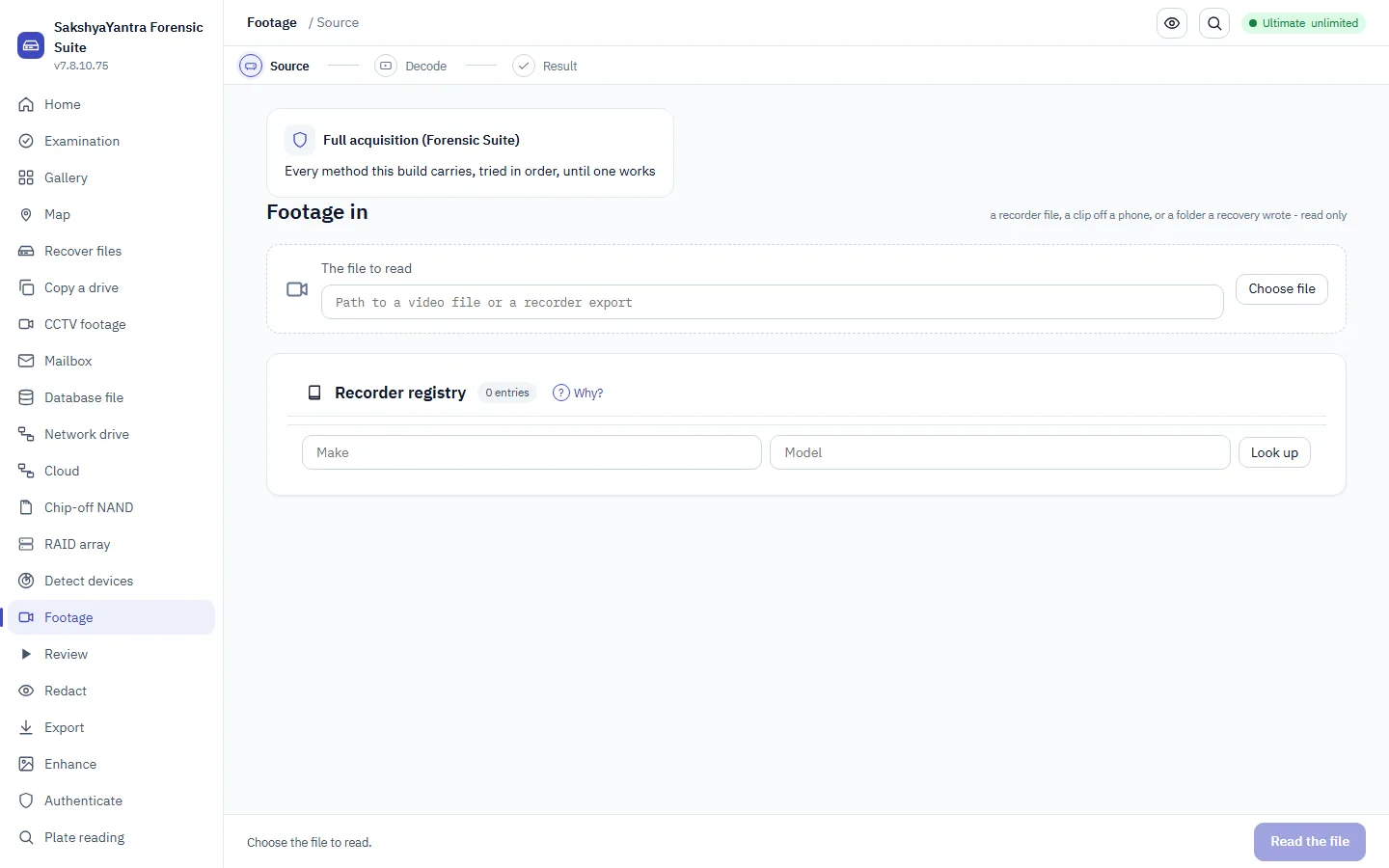
recoveryantra footage
<fcmd> | When to use it. Bring footage in, decode it, batch-convert it, check the tested-recorder registry, or see what this machine's media worker can handle. Every subcommand is documented on its own line. |
|---|
recoveryantra ftsearch
<fts_command> | When to use it. Full-text search of the whole case: `build` indexes every exhibit's extracted text, `query` searches it, `merge` compacts the index and `stats` reports its size. What it costs. The index streams to disk - the whole case is never held in memory at once - so it scales to a large corpus. |
|---|
recoveryantra gallery
--case | The case folder; omit to use the most recent case When to use it. The case folder to read; omit to use the most recent case on this machine. |
|---|---|
--type | Only images or only videos When to use it. Show only images, or only videos, on the wall. |
--camera | Camera make/model contains this text (from EXIF) When to use it. Keep exhibits whose camera make/model (from EXIF) contains this text. |
--ext | Only this file extension When to use it. Keep only exhibits with this file extension, such as jpg or mp4. |
--tag | Only exhibits carrying this tag/bookmark When to use it. Keep only exhibits carrying this tag or bookmark. |
--known | Filter by known-file status (unknown until a hash set is installed - see the NSRL item) When to use it. Filter by known-file status. Reads 'unknown' for every exhibit until a hash set (NSRL or a custom set) is installed. |
--from | When to use it. Keep exhibits dated on or after this day (YYYY-MM-DD), by EXIF or observed timestamp. |
--to | When to use it. Keep exhibits dated on or before this day (YYYY-MM-DD). |
--min-size | When to use it. Keep only exhibits that are at least this many bytes in size. |
--max-size | When to use it. Keep only exhibits that are no larger than this many bytes. |
--sort | When to use it. Order the wall by date, by size, or by file name. |
--asc | Sort ascending (default is newest/largest first) When to use it. Sort ascending; the default is newest / largest first. |
--offset | When to use it. Skip this many items before the page - for paging a large case. |
--limit | Return at most N items (the page); the count is still the full filtered total When to use it. Return at most this many items (the page). The count is still the full filtered total, so paging never hides how much matched. |
--tag-asset | Tag/bookmark this exhibit id, then list When to use it. Tag/bookmark this exhibit id (ev_...) before listing - the mark is written to the case through its own door. What it costs. It writes to the open case; do it on a case you are examining, not a read-only glance. |
--label | The label for --tag-asset When to use it. The tag text written onto the exhibit named by --tag-asset. |
--examiner | When to use it. The examiner name recorded when the case is opened to tag an exhibit. |
recoveryantra geo
<geo_command> | When to use it. Map the case's location points. `points` prints them (and the track) as JSON; `export` writes GeoJSON (RFC 7946) or KML (opens in Google Earth / QGIS). Only files carrying real EXIF GPS appear - nothing is guessed from a name. |
|---|
recoveryantra gui
--classic | Use the classic Tkinter wizard When to use it. Fall back to the classic interface on a machine where the modern window will not start, typically an old or minimal Windows install. |
|---|
recoveryantra guide
--html | Write the guide as a self-contained, searchable HTML page When to use it. Produce the manual as a single searchable page to hand to a client, put on an internal share, or carry onto an air-gapped bench. |
|---|---|
--markdown | Write the guide as Markdown When to use it. Produce Markdown when the content is going into your own documentation system or version control. |
recoveryantra guides
<gcmd> | When to use it. Read the how-to guides for this product: list them, print one as plain text, open the bundled page or PDF, or copy one out to a folder. Each guide says plainly where this product stops. |
|---|
recoveryantra image
--device | Raw device path (e.g. \\.\PhysicalDrive1 or /dev/sdb) When to use it. Image the drive first whenever it is failing, whenever the original must go back to the client untouched, or whenever the matter may be produced. Every later step runs against the image. What it costs. Imaging reads the whole drive once. On a drive that is actively dying that single pass is the best chance you get, so choose the retry policy before starting, not after. |
|---|---|
--source | An existing image/file to re-image, OR an externally-made dump to ingest and normalize into a clean image: a raw chip-off/JTAG NAND dump, a TWRP/GrayKey/CLBX forensic container, or a hardware imager's image (its ddrescue/CSV bad-sector map is carried). We ingest a dump a rig produced; we do not read a chip or a live bus. When to use it. Re-image an existing file, for example to convert a raw image to E01 or to make a working copy of an evidence image. |
-o | Output image path (.img or .E01) When to use it. The image path on the case store. Name it for the exhibit, not for the machine. |
--retries | Retries for bad sectors (default 3) When to use it. Same trade-off as on acquire: more retries recover more marginal sectors and cost more reads of a failing surface. |
--format | raw .dd/.img (default) or compressed .E01 evidence image When to use it. Use e01 for evidential work: it is compressed and carries the acquisition metadata other forensic tools expect. Use raw when the image will be mounted or read by tooling that only takes a flat image. What it costs. Raw images are the size of the whole drive, including empty space. |
--targeted | Filesystem-aware (read-once): image only the space the filesystems say holds data, skipping free space without reading it. Faster and gentler on a failing drive, and a smaller image. Deleted files still in free space are NOT captured - use a full image for those. When to use it. Filesystem-aware, read-once imaging: the filesystems' own allocation maps say which space holds data, and only that is read and copied - free space is skipped without touching the drive. Use it to image a large or failing drive faster and more gently, and to get a smaller image, when the live files are what matter. What it costs. Deleted files still sitting in free space are NOT captured - free space is exactly where they live. When deleted data matters, take a full image (omit --targeted). A filesystem we cannot read a map for is imaged in full, so it is never wrong, only sometimes not smaller. |
--entropy-map | Measure the entropy of the data as it is copied and record which spans are high-entropy (encrypted or compressed) in the image's .map.json. When to use it. Measure the entropy of the data as it is copied and record which spans are high-entropy - encrypted or compressed - in the image's .map.json. Use it to see at a glance whether a drive (or a region) is encrypted before spending time on recovery. What it costs. Entropy cannot tell encryption from compression; a high-entropy span may be either. It is a signpost, not a verdict. |
--force | Start even when the pre-flight checks say this cannot finish: too little room, or writing onto the drive being recovered. When to use it. Only after reading the objection. See acquire. |
recoveryantra ingest
<ig_command> | When to use it. Add evidence to a case and process it through one pipeline with a live dashboard. `add` enqueues a source; `run` runs the stages; `status` prints the dashboard; `stop` halts at a stage boundary; `retry` re-queues a failed stage. |
|---|
recoveryantra legal
--status | Show what has been acknowledged on this install When to use it. Show what lawful-use acknowledgements have been made on this install. Useful when auditing a shared bench machine. |
|---|---|
--reset | Forget remembered acknowledgements (history is kept) When to use it. Clear the remembered acknowledgements when a machine changes hands or a new operator takes it over. What it costs. The history is retained. Resetting does not erase the record of what was previously acknowledged. |
recoveryantra licence
<lic_command> | When to use it. Manage this computer's licence from the terminal: `status` shows the licence, what is left on it and this computer's System Key (the code a key is issued for); `activate` applies a key issued for this computer; `deactivate` removes it. Use it on a headless or scripted install, or to read the System Key to send with a key request. Offline - nothing is sent anywhere. |
|---|
recoveryantra license
<lic_command> | When to use it. The same command as `licence` (US spelling): status, activate KEY, deactivate. |
|---|
recoveryantra list
--triage | Also check each device's health (SMART + test reads), how it's connected, and what kind of device it is (CCTV recorder, phone, dashcam, card, ...) with advice on what to do When to use it. Run before touching anything. It reports each device's health, how it is connected and what kind of device it is, which is what decides whether to recover directly or image first. What it costs. Triage reads the drive. On a drive that is audibly failing, keep even this brief and go straight to imaging. |
|---|
recoveryantra medialab
<mlcmd> | When to use it. Run a saved recipe, save or list one, or take a calibrated 2-D measurement. The Lab is in the SakshyaYantra Forensic Suite; the separate Forensic Video Lab product left the catalogue on 2026-09-16 and its work is in the Forensic Suite. |
|---|
recoveryantra phash
<ph_command> | When to use it. The verb's argument: `hash <image>` prints the image's perceptual hashes; `dedup <folder>` clusters near-duplicate images; `match <image> <hashset>` matches one image against an operator-supplied set. What it costs. Every result is a CANDIDATE within a stated Hamming threshold, printed with its chance-match rate; it is a triage aid, never a judgement about the content. No hash set is bundled - the operator supplies any known-media set they are lawfully entitled to use. |
|---|
recoveryantra plate
<pack> | A frame-pack .zip When to use it. A frame-pack .zip - the only unit this door accepts. A video, a clip or a loose picture is refused by type. |
|---|---|
--frames | Finding ids to submit (default: every frame in the pack) When to use it. Which finding ids in the pack to submit; defaults to every frame in it. What it costs. Every frame submitted leaves the machine if the request proceeds - the transfer manifest records each one's digest. |
--provider | When to use it. The AI provider to ask, once the examiner's own reading is already sealed. |
--model | When to use it. The model to ask, from that provider's list. |
--case | When to use it. The case this submission is recorded against. |
--reading | The examiner's own sealed reading, typed BEFORE any model answer is shown; omit to stop at the seal step When to use it. The examiner's OWN reading, typed and sealed before any model answer can be shown. What it costs. Omit it (and --unreadable) and the command stops at the seal step - there is no route to an answer without a sealed reading first. |
--examiner | Examiner's name, recorded on the sealed reading (not in the grammar table; added because seal_reading requires one - documented in PARAM_GUIDANCE) When to use it. The examiner's name, recorded on the sealed reading. |
--unreadable | The examiner's reading is that the plate cannot be read (not in the grammar table; the alternative to --reading text - documented in PARAM_GUIDANCE) When to use it. The examiner's reading is that the plate cannot be read - the alternative to typing --reading text; still a sealed reading, not a bypass of one. |
--engine | cloud = ask a VLM provider; local = the on-machine YuNet+fast-plate-ocr plate model, no internet; openalpr = the OpenALPR engine (AGPL-3.0), also on-machine and offline (documented in PARAM_GUIDANCE) When to use it. cloud asks a VLM provider (the frame pack leaves the machine); local reads with the on-machine YuNet+fast-plate-ocr model, no internet and nothing sent; openalpr reads with the OpenALPR engine (AGPL-3.0), also on-machine and offline. What it costs. local and openalpr both spend nothing and send nothing; local uses the bundled/signed plate model, openalpr needs OpenALPR installed (Python binding or the `alpr` command). With neither the chosen engine refuses honestly rather than guessing; the examiner's sealed reading is still the record and rides ahead of any engine read. |
--country | Country whose plate syntax the read is checked against (IN full depth; GB/DE/FR/IT/ES/NL/BR/US/AU/KR shape-checked - 11 total, see `countries.countries()`; the verdict is reported, never forced; documented in PARAM_GUIDANCE) When to use it. The country whose plate syntax the read is checked against. India is built to full depth; another country is reported as observed and not forced into a format it has no pack for. |
--constraint | Plate format family to validate under: hsrp, bh, special, none (documented in PARAM_GUIDANCE) When to use it. The plate format family to validate the read under - hsrp, bh, special, or none. Empty uses the country's default (HSRP for India). |
--pipeline | Run the on-machine plate PIPELINE on the selected frame: localize -> perspective-stabilize -> deblur -> OCR, keeping the clearest read across the raw, stabilized and deblurred crops. An OBSERVATION (plate_pipeline/v1), never a finding; needs --reading/--examiner first, like --engine local (documented in PARAM_GUIDANCE) When to use it. Run the on-machine plate PIPELINE on the selected frame instead of a single read: it localizes the plate (YOLOv9-t), rectifies its perspective, deblurs it and reads the clearest of the raw, stabilized and deblurred crops. The answer is an OBSERVATION with its OCR confidence, the per-stage log and the measured error - never a finding, and the plate is never silently corrected. What it costs. Spends nothing and sends nothing (fully offline). Needs --reading and --examiner first, exactly like --engine local, so the examiner's own reading is sealed before the pipeline reads; needs the bundled plate model pack and the forensic runtime, and refuses honestly without them. Confidence is UNCALIBRATED for India - a model probability, not a measured rate. |
recoveryantra redact
<rdcmd> | When to use it. Mask a region, track one across a range, record the examiner's review decision, or export - each documented on its own line. Export is refused until a redaction has been approved. |
|---|
recoveryantra report
--case | The case folder When to use it. Point at the case folder you want to hand to another tool or lab. `report` exports it in a standardized interchange format rather than a PDF, so an examiner on different software can load the same evidence, timeline and provenance. The case folder is read only. |
|---|---|
--format | Export format (default case-uco) When to use it. Choose the interchange format for the export; today that is CASE-UCO, the community standard the major forensic tools read, so findings travel to another examiner without being retyped. Leave it at the default unless a receiving lab asks for a specific one. |
-o | Path to write the export to When to use it. Where to write the exported file. Choose a path outside the case folder and the evidence drive so the export never lands among the files it describes; writing it does not change the case. |
--force | Write even if the pre-flight objects When to use it. Write the export even when the pre-flight raises an objection, such as too little free space at the destination. Use it only after you have read the warning and accept it. What it costs. The pre-flight is what stops a half-written export or a destination that cannot hold the file; forcing past it can leave an incomplete export that another tool will reject as malformed. |
recoveryantra review
<rvcmd> | When to use it. Open an asset's timeline, build a frame pack from a range, bookmark one frame, read the gaps and field order, or verify a pack already built. Documented per subcommand. |
|---|
recoveryantra steps
<workflow> | Workflow id (e.g. forensics, data_recovery); omit to list them by category When to use it. Show the full procedure for one job - every stage, what it is for, the safety gates that cannot be skipped, and the command that carries each one out. Use it when a technician is doing a job for the first time, when a job is done rarely enough that nobody remembers the order, or when a reviewer asks why the work was done the way it was. |
|---|---|
--category | Show only one category's workflows When to use it. Show only data recovery, or only forensics. The two follow different orders because they are for different things: a recovery is judged on how much comes back, an examination on whether you can prove what you did. Verification therefore ends a recovery and sits in the MIDDLE of an examination, before any analysis. Use this to hand a new examiner only the sequence that applies to them. |
--commands | Print only the commands, in order, ready to copy When to use it. Print only the commands, in order, ready to paste. Use it to build a runbook, to script a job that is done the same way every time, or to check a script somebody else wrote actually follows the procedure. |
--standards | Show the published practice each step comes from When to use it. Show the published practice each stage comes from - ISO/IEC 27037, NIST SP 800-86, the ACPO principles. Use it when a client, an auditor or a court asks why a step exists, and when training staff who need to know the procedure is not this vendor's opinion. |
recoveryantra view
<view_command> | When to use it. Open an artefact in a structured viewer without leaving the case: `registry` browses a hive, `plist` shows a property list, `sqlite` browses a database and its deleted rows, `hex` pages raw bytes, `interpret` decodes the bytes at an offset, `bookmark` marks bytes on the case. Every view prints JSON. |
|---|
recoveryantra which
<situation> | What is happening, in plain words (e.g. "drive is clicking"); omit to list every situation When to use it. Describe what is happening in your own words - "drive is clicking", "formatted the wrong disk", "Outlook will not open it" - and get the feature to use, why that one rather than the obvious alternative, a worked example, the commands, and what NOT to do. Use it when somebody hands you a job and you are not sure which part of the product it belongs to, and give it to new staff before you give them anything else. |
|---|---|
--all | Show every situation, grouped, rather than searching When to use it. List every situation, grouped, instead of searching. Use it to see the whole range at once - useful when scoping what a product will cover for a customer, and for training. What it costs. Situations the product you are running does not include are marked, so the list stays honest about what this build can actually do. |