
SakshyaYantra Examiner on the command line
Every command this product contains and every parameter it accepts: 51 commands, 204 parameters. Read from the shipping build, version 20.54.3.2. The help text says what a switch does; each entry here adds when a business reaches for it and what it costs.
acquireauditbatchcapabilitiescasecaseqacasequerycaseworkflowcertifycheckcontainercrosscasedbdetectdronefind-driveftsearchguiguideguideshashsetheximageingestkeywordlegallicencelicenselinklistmailmemorymodenandreconraidrecoverreportrobotsearchstegostepstapetimelineunlockvalidatevehicleveracryptviewwhichwizardyaraBefore the first command
- Reading a physical drive needs administrator rights. Working from a disk image needs none.
- The source is opened read-only for the whole session, and the application refuses a destination on the drive being read.
- Set the mode before the scan. A recovery-mode scan does not become evidential afterwards.
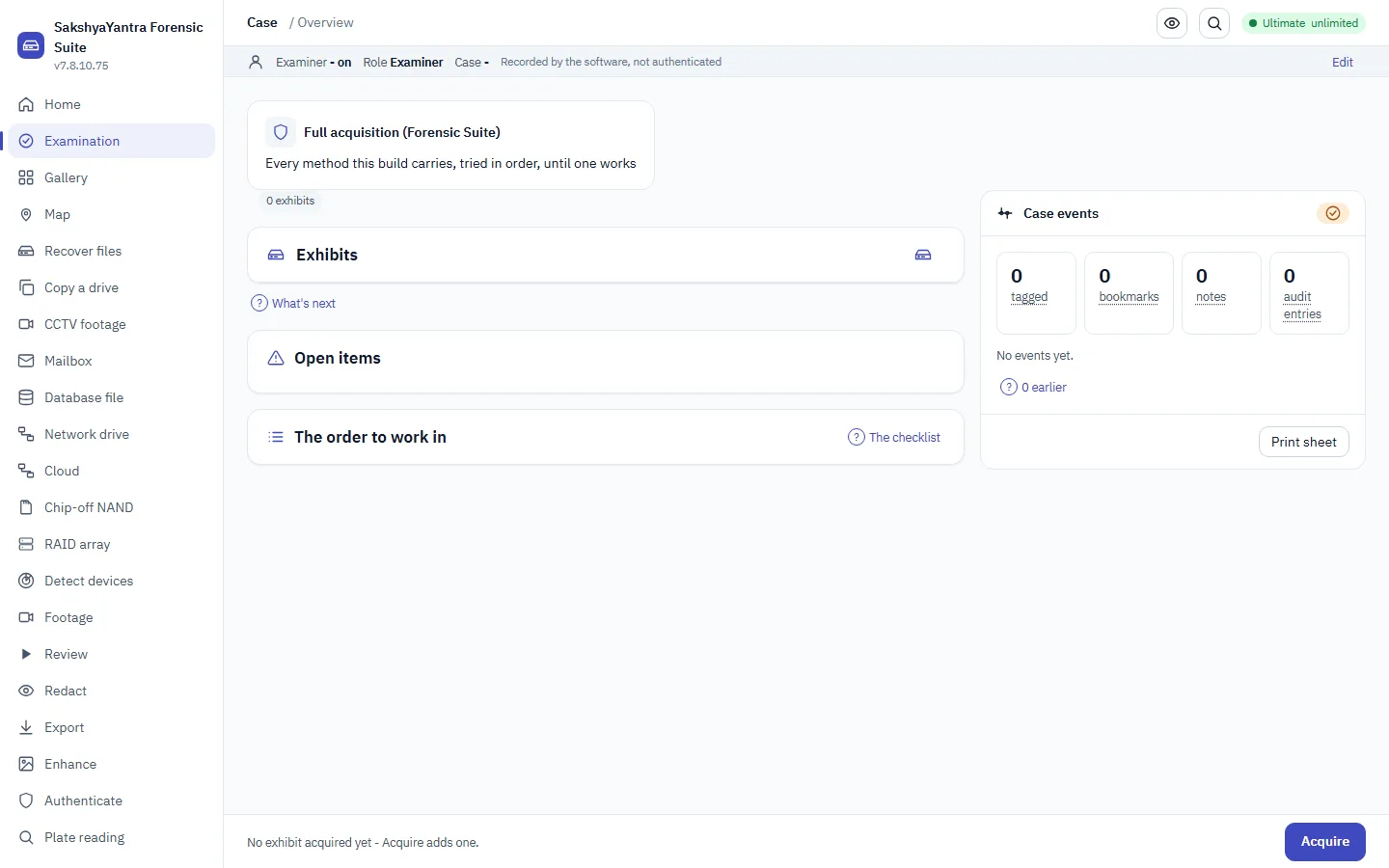
- Everything below is available in the application as well; the command line is the scriptable surface, not a separate product.
recoveryantra acquire
-o | Folder to write the image into (default: ./Evidence) When to use it. Point this at the evidence store for the case, not at the machine's own disk. On a booted rescue USB the default writes to the stick itself, which is usually what you want in the field. What it costs. The folder must have room for the whole source. The pre-flight refuses rather than filling the disk half way through. |
|---|---|
--retries | Retries for bad sectors (default 3) When to use it. Raise it when the drive is readable but marginal and the case justifies a slow, thorough pass. Lower it to 0 or 1 when the drive is deteriorating and getting a complete-enough image quickly matters more than the last few sectors. What it costs. Every retry is another read of a failing surface. On a drive that is physically degrading, high retry counts can cost you the areas you have not reached yet. |
--force | Start even if the pre-flight checks object. When to use it. Only when you have read the pre-flight objection and know it is wrong for your situation, for example free space reported incorrectly by a network share. What it costs. The pre-flight exists to stop a job that cannot finish. Forcing past a genuine space or same-drive objection loses work, and on the same-drive case it can overwrite the very data being recovered. |
--write-block | Engage a SOFTWARE write-block (OS read-only) on the source first. Best-effort and not a substitute for a hardware write blocker; layered with the fingerprint. When to use it. Use on every evidential acquisition where no hardware write blocker is available. It sets the operating system's own read-only flag on the source before the first read. What it costs. It is best effort at the operating-system level and is not equivalent to a hardware write blocker. State which one you used in the report; do not describe a software block as a hardware one. |
--format | Image format: raw (.img, resumable) or E01. Asked for when omitted. When to use it. raw when the image will be recovered from or examined on the same bench and a stopped copy must be resumable (the .map carries on); e01 when it goes to a lab that expects Expert Witness containers or when the destination is smaller than the drive and compression has to make it fit. Asked for on screen when omitted. What it costs. An E01 copy cannot be resumed part way; a raw copy takes the drive's full size on the destination. |
--boot | On the RecoverYantra bootable USB: offer the USB's own DATA partition and any other attached drive as the destination, never the drive being copied or the boot medium; record the read-only protection. When to use it. Set by the RecoverYantra bootable USB's own launcher: the USB's DATA partition is offered first as the destination, then any other attached drive that is neither the source nor the boot medium, and the manifest records that every disk arrived read-only. What it costs. Outside the bootable USB there is no live medium, so the flag is ignored with a note and -o decides where the image goes. |
--operator | Examiner asserting lawful authority (recorded) When to use it. Record the individual asserting lawful authority for the acquisition. Required practice for anything that may be produced in proceedings. |
--authority | Lawful basis: warrant / consent / statutory power When to use it. Record the lawful basis: warrant, consent, or a statutory power. Write what it actually is, and keep the underlying document with the case file. What it costs. This field records the assertion. It is not legal advice and it does not create authority you do not have. |
--org | Examiner's organisation (recorded) When to use it. The examining organisation, as it should appear on the report and in the custody record. |
--case | Case / FIR reference (recorded) When to use it. Your own case or FIR reference. Set it at acquisition so every later artefact carries the same identifier. What it costs. Adding it afterwards means the earliest records in the trail carry a different reference from the rest. |
recoveryantra audit
<path> | Path to audit_trail.jsonl (or the folder holding it) When to use it. Run at the close of a case, and again before disclosure, against the audit_trail.jsonl produced during the work. It proves the trail has not been edited, reordered or had entries inserted. |
|---|---|
--manifest | A recovery_manifest.json holding the sealed receipt, so entries REMOVED from the trail are detected too When to use it. Add the recovery manifest whenever you need to prove nothing was REMOVED from the end of the trail. The manifest holds the sealed receipt the chain alone cannot see past. What it costs. Without it, a trail that has been cut short at the end still verifies. For evidential work treat the manifest as required. |
recoveryantra batch
<batch_cmd> | When to use it. Queue several drives to image and/or recover, then run them in sequence with nobody watching. `new` starts a batch; `add` queues a job on it; `list`/`status` show its progress; `remove`/`move` edit the queue before it runs; `start`/`resume` run it; `pause`/`stop` are typed in another window while it is running; `requeue` puts failed or skipped jobs back once the cause is fixed; `delete` forgets a batch; `unlock` clears a run lock a crash left behind; `report` writes what happened across the whole batch. `depends` changes which jobs a job waits for, `parallel` sets how many run at once, and `playbook` saves a whole bench procedure once and applies it to every drive that comes in. Use it when there are more drives on the bench than there is time to sit and watch each one. |
|---|
recoveryantra capabilities
--enable | Turn on an advanced method (e.g. checkm8, mtk_bootrom, qualcomm_edl) When to use it. Turn on an advanced acquisition method for a case that needs it and is authorised for it. These methods interact with the device, so they are off until an examiner opts in on the record. What it costs. Enabling is recorded in the audit trail with the operator and case. An advanced method can alter the device; decide before the exhibit is in front of you, not during. |
|---|---|
--disable | Turn an advanced method back off When to use it. Turn a method back off once the step that needed it is complete, so the next case starts from the conservative default. |
--tools | Show the acquisition toolbox: the public methods (checkm8/mtkclient/edl/adb...), what's installed, and what is equipped for this case When to use it. Run before an acquisition to see which external tools are actually installed on this machine and which methods are therefore available today. What it costs. The product orchestrates the operator's own tools for advanced methods; it does not bundle exploits. A method with no tool present is not available however the case is authorised. |
--operator | Examiner making the choice (recorded) When to use it. Name the examiner making the decision. The choice belongs in the record alongside the result it produced. |
--case | Case reference (recorded) When to use it. Tie the capability decision to the case it was made for. |
recoveryantra case
<case_cmd> | When to use it. Group several recovered sources - a laptop disk, a backup stick, a phone image - into one case for a single customer or job, and see everything recovered across them in one place, deduplicated by hash. `new` starts a case; `add` puts a source into it; `list` shows the cases or one case's sources; `status` totals its files and duplicates; `dedup` lists files found in more than one source. Use it when a job is more than one drive and you do not want to hand back the same file three times. |
|---|
recoveryantra caseqa
<rest> | ask "<question>" --case FOLDER | index --case FOLDER | cite --citation FILE (see caseqa ... -h) When to use it. A verb and its options: `ask "<question>" --case FOLDER` returns the verbatim passages of the case that answer it, each with an exact citation (exhibit id + byte/field offset), or says "not found in this case"; `index --case FOLDER` builds the retrieval index; `cite --citation FILE` re-checks a saved answer's citations against the live case. For `ask`, -k N sets how many passages come back, --kind evidence|finding|note|report|overlay|exhibit and --tier executive|judicial|detailed narrow what is searched (both repeatable), --json prints the whole result including the citations, and --include-ai-observations searches AI observations already in the case (they are labelled, and excluded otherwise). --embedder DIR adds meaning-based search from a local embedding model. Add `--model PATH` (local only) for an optional summary, which needs --reading "<your own reading>" or --inconclusive and --examiner NAME first: the model is not even loaded until the reading is sealed. What it costs. The answer is grounded, cited retrieval, not a chatbot: an unanswerable question is refused rather than guessed. Any local-model summary is a labelled AI observation, sealed after the examiner's own reading, never a finding; a claim citing an unsupplied passage refuses the whole answer. The retrieval makes no network connection. |
|---|
recoveryantra casequery
<question> | The question to ask over the case When to use it. The triage question to ask over the case's own indexed data, such as who met whom and when, or whether a confession appears. Retrieval returns the case items that bear on it; a model answer, if any, is an observation, never a finding. |
|---|---|
--case | The case folder (defaults to the most recent case) When to use it. The case folder to query when it is not the most recent case, which is used by default. Only the case's own indexed data is searched, nothing outside it. |
--reading | Your OWN reading of the case, sealed into the audit trail before any model answer is shown When to use it. Your own reading of the case, sealed into the audit trail before any model answer is disclosed, so the record shows what the examiner concluded independently of the tool. What it costs. It is sealed once; a later change is recorded as an edit, never as the original reading. |
--inconclusive | Seal your reading as inconclusive instead of typing one When to use it. Seal your reading as inconclusive rather than typing one, for when the case does not yet support a reading but you still want the model's words disclosed and audited. |
--examiner | Who is asking, recorded with the sealed reading When to use it. Who is asking, recorded with the sealed reading and the audited reveal so the trail names the person who saw the model's words. |
--reveal | After sealing a reading, disclose the model's verbatim words (an audited event). Without a sealed reading the model's words stay sealed When to use it. Disclose the model's verbatim words after a reading is sealed, which is an audited event recorded with who did it and when. What it costs. The model's text is an observation, never a finding; revealing it puts a record in the audit trail that it was seen. |
--limit | How many case items to retrieve as context When to use it. How many case items to retrieve as context for the question, when the default breadth is too wide or too narrow for the case. |
recoveryantra caseworkflow
--case | The case folder; omit to use the most recent case When to use it. The case folder to report on. Omit it and the most recently worked case is used, so an examiner mid-case runs the command with no arguments. Read only - the trail is never re-opened or locked. What it costs. Free: it reads the case's own audit.jsonl and case.json and writes a report; it charges nothing and touches no evidence. |
|---|---|
--out | Where to write the report (default: the case's reports/ folder) When to use it. Where to write the report. The default is the case's own reports/ folder, so it travels with the case; point it elsewhere to hand a copy straight to a shared drive. |
--format | Comma list of html,pdf,text (default all three; PDF only where reportlab is present) When to use it. A comma list of html, pdf and text (default all three). The HTML is self-contained - screenshots are embedded - so one file can be shared as the whole workflow; PDF is written where reportlab is present. |
--shot | A screenshot to attach (repeatable); PATH or PATH::caption When to use it. A screenshot to attach, repeatable, as PATH or PATH::caption. Each is embedded in the HTML so the report is one shareable file; a path that cannot be read is noted in the report as not-found, never dropped silently. |
recoveryantra certify
<cecmd> | When to use it. Draft the Section 63(4) Bharatiya Sakshya Adhiniyam certificate from a case's exhibits, or re-verify one already issued. |
|---|
recoveryantra check
--device | Raw device path (e.g. \\.\PhysicalDrive1 or /dev/sdb) When to use it. Run the feasibility check the moment a drive arrives, before quoting, before imaging and before any promise to the client: it measures how much of the drive is unreadable and states the chances in plain words. What it costs. A few hundred sampled reads - seconds on a healthy drive, and one gentle attempt per area on a failing one. Far cheaper than discovering mid-copy that the job was never viable. |
|---|---|
--image | An existing image file to check instead When to use it. Check an existing image instead of a drive - for example to confirm a copy received from a client or another lab reads cleanly before work is billed against it. |
--pdf | Also write the answer as a PDF report at this path When to use it. Write the verdict as a PDF wherever a client, insurer or case file needs the answer on record. The report states its numbers as ranges and says it is based on a sample. |
--samples | How many areas of the drive to test (default 160) When to use it. More samples narrow the stated range and cost more reads of the drive. The default suits a first assessment; raise it when the estimate must be tighter than a few percent. What it costs. Each extra sample is another read of a drive that may be dying. On clearly failing hardware, keep the default and move to the copy. |
recoveryantra container
<ctcmd> | When to use it. Unlock a VMware-encrypted VMDK or an Apple encrypted sparsebundle given the right key material. Neither fits the ordinary drive unlock flow - a VMDK's key usually lives in a separate .vmx config, and a sparsebundle is a folder of band files, not one readable stream. Every subcommand is documented on its own line. |
|---|
recoveryantra crosscase
<xccmd> | When to use it. Pick what to do: `ingest` adds a case's properties to the lab store, `lookup` finds which cases carry a value, `correlate` shows what a case shares with others, `forget` removes a case, `export`/`import` move the store, `stats` summarises it. |
|---|
recoveryantra db
--identify | Identify a database file and print its recovery method When to use it. Run this first on any database file. It names the engine and the recovery method that applies, which decides whether this is a ten-minute job or a specialist one. |
|---|---|
--coverage | List every database family we cover and the recovery tier When to use it. Use when quoting or scoping. It lists every database family the build covers and the tier of recovery available for each. What it costs. A family listed at identify-and-route tier is not row-level recovery. Quote against the tier, not the presence in the list. |
--recover | Recover records from a database file (dBase/.dbf built; others are identified and routed to their method) When to use it. Point at a copy of the data file when the server will not start or will not attach it, and the most recent backup is unusable. What it costs. Work from a COPY. Take the instance offline first: extracting from files a running engine is writing to produces rows from a moment that never existed as a consistent state. |
--memo | With --recover of a .dbf: the memo side-file (.dbt/.fpt) When to use it. Required with a dBASE .dbf whose text fields live in a side file. Without it the long text fields come back empty. |
--engine | Force the engine when the file cannot self-identify (e.g. a PostgreSQL relfilenode has no magic): sqlite/postgresql/mysql_innodb/sqlserver/access/mongodb/redis/dbase When to use it. Force the engine when the file cannot identify itself - a PostgreSQL relfilenode is a bare number with no magic, so name it here. What it costs. Only override when you KNOW the engine: forcing the wrong one reads the file's bytes against the wrong format and returns nothing usable. |
--out | With --recover: write all records (deleted marked) to a CSV When to use it. Write to CSV whenever the rows are going to be reviewed, handed to a client, or loaded into a working server. What it costs. Deleted rows are exported flagged. Preserve that column: an un-flagged export presents recovered deleted rows as live data. |
recoveryantra detect
--report | Also write the report (HTML, PDF, JSON) into DIR When to use it. Write the detection report - HTML, PDF and JSON - into this folder: every device with its state, bus, serial and sector size, the hardware Windows can see but cannot use with the code and the fix, and the Plug-and-Play inventory. Use it when a customer or a partner says a drive is not detected: the report replaces "it does not work" with what the machine actually sees. What it costs. The folder goes through the same pre-flight as every other writing job; the report is small, so only rights and a full disk stop it. |
|---|---|
--no-health | Skip the health read of each usable drive (faster) When to use it. Skip the health read of each usable drive. Detection is then a listing only and returns in a second or two. Use it on a machine with many drives, or when a drive is known to be failing and you do not want even a test read against it before imaging. |
--force | Write the report even if the pre-flight objects When to use it. Write the report even when the pre-flight objects to the folder. Use it only when you have read the objection and it does not apply - a report is a few hundred kilobytes, so the usual reason is a destination the check cannot judge. What it costs. A refusal you have not read is not one you can override safely. |
recoveryantra drone
<dronecmd> | When to use it. Parse a flight log or telemetry sidecar, correlate a GPS point against a clip's own time, sweep a card/controller for a deleted .SRT sidecar, or write a report/manifest. Every subcommand is documented on its own line. |
|---|
recoveryantra find-drive
<pattern> | A filename, part of one, or a wildcard (e.g. IMG_2019, *.jpg) When to use it. Search every usable attached device for a file whose name matches PATTERN, without picking a drive first. Free, no licence needed - reads each device's index in seconds, the same tier as `--list`. Use it when the customer cannot say which of several drives holds what they want. |
|---|---|
--timeout | Give up on one drive after this long (default 20); a slow or failing drive never holds up the others When to use it. Seconds allowed per device before moving on. A slow or failing device costs only its own row - the sweep never waits on one device at the expense of the rest. |
--all | List every drive checked, including the ones with no match When to use it. Also sweep devices that are not in a normally-usable state, where possible. Use it only once the plain sweep has come back empty. |
recoveryantra ftsearch
<fts_command> | When to use it. Full-text search of the whole case: `build` indexes every exhibit's extracted text, `query` searches it, `merge` compacts the index and `stats` reports its size. What it costs. The index streams to disk - the whole case is never held in memory at once - so it scales to a large corpus. |
|---|
recoveryantra gui
--classic | Use the classic Tkinter wizard When to use it. Fall back to the classic interface on a machine where the modern window will not start, typically an old or minimal Windows install. |
|---|
recoveryantra guide
--html | Write the guide as a self-contained, searchable HTML page When to use it. Produce the manual as a single searchable page to hand to a client, put on an internal share, or carry onto an air-gapped bench. |
|---|---|
--markdown | Write the guide as Markdown When to use it. Produce Markdown when the content is going into your own documentation system or version control. |
recoveryantra guides
<gcmd> | When to use it. Read the how-to guides for this product: list them, print one as plain text, open the bundled page or PDF, or copy one out to a folder. Each guide says plainly where this product stops. |
|---|
recoveryantra hashset
<hs_command> | When to use it. Work with known-file hash sets. `import` loads an NSRL RDS or a hash list; `list` shows the installed sets; `lookup` classifies one hash or file; `classify` runs the whole case; `remove` deletes a set. Use it to hide the operating-system and application files that are the same on every machine, and to flag files that match a known-bad set. |
|---|
recoveryantra hex
--device | Raw device path (e.g. \\.\PhysicalDrive1 or /dev/sdb) When to use it. Point at a raw device when you need to inspect a structure on a live disk or partition directly, without imaging it first. |
|---|---|
--image | An image file to inspect instead When to use it. Point at an image file to inspect instead of a live device - the usual choice once a drive has been imaged. |
--offset | Byte offset to read from (default 0) When to use it. Give the exact byte offset of the structure you want to look at (a partition start, a specific MFT record, a GPT entry). Read the offset off find_partitions/browse first rather than guessing. |
--length | Bytes to read (default: the template's own size, or 512) When to use it. Override the number of bytes read when a template's own size is not what you need - a non-standard MFT record size, for example. Left out, each template reads its own documented size. |
--template | Structure template to overlay on the hex (default: auto-detect the filesystem at --offset) When to use it. Leave it on auto to have the engine identify the filesystem at --offset and pick the right structure; name one explicitly (e.g. ntfs-mft, gpt-entry) when you are navigating to something the auto-detector cannot locate on its own, like one MFT record or one GPT partition-table entry. |
--raw | Hex dump only, no field overlay When to use it. Show plain hex+ASCII with no field overlay, for a region no template covers or when you want to eyeball the bytes yourself. |
--json | Machine-readable JSON output When to use it. Emit machine-readable JSON instead of a printed table, for scripting or for a report generator to consume. |
--members | RAID member images, in array order (use '-' for a missing one) - switches this command to RAID inspection: --raid-parity or --raid-translate When to use it. Give the RAID member images, in array order, to switch this command into RAID inspection mode (--raid-parity or --raid-translate) instead of decoding a single structure. Use a dash for a member that is missing. |
--raid-parity | With --members: compute/verify RAID5/6 parity for one stripe row (--row) When to use it. Check whether a stripe row's stored parity actually matches its data - the fastest way to find which row of a suspect array is wrong before trusting a rebuild. |
--raid-translate | Translate a logical RAID array offset to its member disk + physical offset (needs --members, or -n with --level/--chunk alone) When to use it. Give a logical offset into the assembled array to find out which physical member disk and sector really holds it - useful when a member is failing and you need to know exactly what it is about to lose. |
--level | RAID level for --raid-parity/--raid-translate (0/1/4/5/6/1e/jbod, default 5) When to use it. State the RAID level for --raid-parity/--raid-translate the same way you would for the raid command: 0/1/4/5/6/1e/jbod. |
--chunk | Stripe/chunk size in bytes (default 65536) When to use it. State the stripe size for --raid-parity/--raid-translate. It must match the array's real geometry. What it costs. A wrong chunk size makes the parity check or the translated address meaningless - it will not raise an error, it will silently point at the wrong bytes. |
--layout | RAID5/6 parity layout (default left-symmetric) When to use it. Change from the default only for a RAID5/6 array documented as using a different parity layout. |
--row | Stripe row for --raid-parity (default 0) When to use it. Pick which stripe row --raid-parity checks. Sweep rows one at a time when hunting for exactly where an array went wrong. |
-n | Member count for --raid-translate when --members is not given When to use it. Give the member count for --raid-translate when you are reasoning about the array's geometry without opening the actual member images. |
recoveryantra image
--device | Raw device path (e.g. \\.\PhysicalDrive1 or /dev/sdb) When to use it. Image the drive first whenever it is failing, whenever the original must go back to the client untouched, or whenever the matter may be produced. Every later step runs against the image. What it costs. Imaging reads the whole drive once. On a drive that is actively dying that single pass is the best chance you get, so choose the retry policy before starting, not after. |
|---|---|
--source | An existing image/file to re-image, OR an externally-made dump to ingest and normalize into a clean image: a raw chip-off/JTAG NAND dump, a TWRP/GrayKey/CLBX forensic container, or a hardware imager's image (its ddrescue/CSV bad-sector map is carried). We ingest a dump a rig produced; we do not read a chip or a live bus. When to use it. Re-image an existing file, for example to convert a raw image to E01 or to make a working copy of an evidence image. |
-o | Output image path (.img or .E01) When to use it. The image path on the case store. Name it for the exhibit, not for the machine. |
--retries | Retries for bad sectors (default 3) When to use it. Same trade-off as on acquire: more retries recover more marginal sectors and cost more reads of a failing surface. |
--format | raw .dd/.img (default) or compressed .E01 evidence image When to use it. Use e01 for evidential work: it is compressed and carries the acquisition metadata other forensic tools expect. Use raw when the image will be mounted or read by tooling that only takes a flat image. What it costs. Raw images are the size of the whole drive, including empty space. |
--targeted | Filesystem-aware (read-once): image only the space the filesystems say holds data, skipping free space without reading it. Faster and gentler on a failing drive, and a smaller image. Deleted files still in free space are NOT captured - use a full image for those. When to use it. Filesystem-aware, read-once imaging: the filesystems' own allocation maps say which space holds data, and only that is read and copied - free space is skipped without touching the drive. Use it to image a large or failing drive faster and more gently, and to get a smaller image, when the live files are what matter. What it costs. Deleted files still sitting in free space are NOT captured - free space is exactly where they live. When deleted data matters, take a full image (omit --targeted). A filesystem we cannot read a map for is imaged in full, so it is never wrong, only sometimes not smaller. |
--entropy-map | Measure the entropy of the data as it is copied and record which spans are high-entropy (encrypted or compressed) in the image's .map.json. When to use it. Measure the entropy of the data as it is copied and record which spans are high-entropy - encrypted or compressed - in the image's .map.json. Use it to see at a glance whether a drive (or a region) is encrypted before spending time on recovery. What it costs. Entropy cannot tell encryption from compression; a high-entropy span may be either. It is a signpost, not a verdict. |
--force | Start even when the pre-flight checks say this cannot finish: too little room, or writing onto the drive being recovered. When to use it. Only after reading the objection. See acquire. |
recoveryantra ingest
<ig_command> | When to use it. Add evidence to a case and process it through one pipeline with a live dashboard. `add` enqueues a source; `run` runs the stages; `status` prints the dashboard; `stop` halts at a stage boundary; `retry` re-queues a failed stage. |
|---|
recoveryantra keyword
<kw_command> | When to use it. Manage named keyword lists and search a case with them. `create` and `add` build a list; `lists` shows them; `import` and `export` move a list as plain text; `remove` deletes one; `run` searches the case and prints the hits; `tag` marks a hit on the case. |
|---|
recoveryantra legal
--status | Show what has been acknowledged on this install When to use it. Show what lawful-use acknowledgements have been made on this install. Useful when auditing a shared bench machine. |
|---|---|
--reset | Forget remembered acknowledgements (history is kept) When to use it. Clear the remembered acknowledgements when a machine changes hands or a new operator takes it over. What it costs. The history is retained. Resetting does not erase the record of what was previously acknowledged. |
recoveryantra licence
<lic_command> | When to use it. Manage this computer's licence from the terminal: `status` shows the licence, what is left on it and this computer's System Key (the code a key is issued for); `activate` applies a key issued for this computer; `deactivate` removes it. Use it on a headless or scripted install, or to read the System Key to send with a key request. Offline - nothing is sent anywhere. |
|---|
recoveryantra license
<lic_command> | When to use it. The same command as `licence` (US spelling): status, activate KEY, deactivate. |
|---|
recoveryantra link
<link_command> | When to use it. Build and question the connections graph. `build` reads the case's contacts, SMS, call logs, chat stores, mailboxes and browser history through the existing parsers; `nodes`/`edges` list entities and links with counts and centrality; `path` and `ego` answer how two people connect and who surrounds one; `export` hands the graph to Gephi or yEd; `finding` records an entity or a link as case evidence. |
|---|
recoveryantra list
--triage | Also check each device's health (SMART + test reads), how it's connected, and what kind of device it is (CCTV recorder, phone, dashcam, card, ...) with advice on what to do When to use it. Run before touching anything. It reports each device's health, how it is connected and what kind of device it is, which is what decides whether to recover directly or image first. What it costs. Triage reads the drive. On a drive that is audibly failing, keep even this brief and go straight to imaging. |
|---|
recoveryantra mail
<path> | The .pst / .ost / mbox / Maildir / .eml to read When to use it. Point at the mail store itself, including one the mail client refuses to open. Take a copy first and work from the copy. |
|---|---|
-o | Folder to write recovered messages into When to use it. Where the exported messages go. Never the folder holding the store being read. |
--list | List what is in the mailbox without exporting it When to use it. Run first. It shows what is in the mailbox, and whether the store read cleanly or had to be salvaged, before you commit to a full export. What it costs. A salvaged read recovers messages but may not recover the folder structure. Knowing which you have changes what you promise. |
--format | eml = one file per message (drag into Outlook); mbox = one file (Thunderbird, Apple Mail, converters) When to use it. Choose eml when the messages are going back into Outlook or being reviewed individually; each message is a separate file. Choose mbox when the mailbox is going into Thunderbird, Apple Mail or a review platform as a single container. What it costs. Neither format is a .pst. The product extracts messages; it does not rebuild an Outlook store file. |
recoveryantra memory
<mem_command> | When to use it. Analyse a memory image. `plugins` lists what can run and whether Volatility 3 is installed; `info` identifies the operating system; `run` runs one Volatility 3 plugin and prints its table; `finding` adds a row of a saved result to the case; `scan` is the in-house reader that needs no Volatility 3. |
|---|
recoveryantra mode
<set> | Switch mode; omit to just show the current mode When to use it. Set forensic before an evidential job and recovery before a commercial one. Forensic hashes every item, writes the chain-of-custody manifest and keeps a flat layout; recovery skips per-file hashing, sorts the output by type and repairs damaged files on export. What it costs. The mode changes real engine behaviour, not only the wording of the report. Set it BEFORE the scan: a recovery-mode scan does not become evidential retrospectively. |
|---|
recoveryantra nandrecon
<dump> | The raw NAND dump from the lab (spare areas included) When to use it. The raw dump a lab read straight off the bare NAND chip, spare (OOB) areas included. It is not a disk image yet; this command is what turns it into one the recovery engine can read. |
|---|---|
-o | Where to write the reconstructed image When to use it. Where to write the reconstructed image, on a different drive from the dump. The rebuilt image is written whole so the ordinary recovery flow can open it like any other disk image. |
--analyse | Report the geometry / scrambling / ECC / block-map findings and write nothing - run this first When to use it. Read the dump and report the geometry, scrambling, error correction and block map it can work out, writing nothing. Run this first, before you commit to an image, because it costs nothing and tells you which figures still need supplying. |
--page-size | Page size in bytes, if the lab told you When to use it. The page size in bytes when the lab already measured it, so it is taken as fact instead of inferred. Supplying a wrong figure produces an image that looks like a disk and holds nobody's files, so give it only when you know it. |
--spare-size | Spare (OOB) size in bytes, if known When to use it. The spare (out-of-band) area size in bytes when the lab measured it. It is taken as given rather than inferred; a wrong value shifts every page and the result carves to nothing, so supply it only when known. |
--pages-per-block | Pages per block, if known When to use it. How many pages make up an erase block when the lab measured it. It is used for the block map; an image can still be built without it, in the order the chip stores rather than logical order. |
--xor-key | The lab's XOR de-scramble key file, if they have one When to use it. A file holding the controller's XOR keystream when the lab supplied one. A dump scrambled from end to end cannot be de-scrambled by analysis alone, so this file is what makes such a dump readable at all. |
--xor-period | The repeating XOR period in bytes, if known When to use it. The length in bytes at which the scrambling keystream repeats, when it is known. It narrows the de-scramble search; leave it off and the period is recovered from the dump. |
--ecc-scheme | The controller's ECC scheme, if detection failed When to use it. The controller's error-correction code, bch or hamming, when automatic detection could not settle it. It decides how spare bytes are read as correction data, so name it only when you know the controller. |
--ecc-step | ECC data step size in bytes When to use it. How many data bytes each error-correction step covers, when detection needs help. It pairs with the scheme and strength; the wrong step corrects nothing, so supply it only from the controller's datasheet. |
--ecc-t | ECC strength (correctable bits per step) When to use it. The correction strength, the number of bit errors each step can fix, when detection needs help. It has to match the controller; a value too low leaves errors, too high reads correction bytes as data. |
--ecc-offset | Offset of the ECC bytes in the spare area When to use it. Where the correction bytes begin inside each page's spare area, when it is known. It positions the read of the correction data; leave it off and the offset is inferred from the dump. |
--ftl-offset | Offset of the block-address field in the spare area When to use it. Where the logical block address sits inside the spare area, when the lab knows the controller. It is what lets the blocks be put back into the order a filesystem expects rather than the chip's own order. |
--ftl-width | Width of the block-address field in bytes When to use it. How many bytes the logical block-address field takes in the spare area, when it is known. It pairs with the offset to read the block map; an image still builds without it in physical order. |
--ftl-endian | Byte order of the block-address field When to use it. The byte order of the block-address field, little or big, when the lab knows the controller. It only matters once the offset and width are set, and the wrong order scrambles the block map. |
--force | Write an image even when the geometry is not confident (the result may be nonsense that looks like a disk) When to use it. Write an image even when the geometry could not be confirmed, taking the best guess rather than refusing. Use it only after --analyse shows how uncertain the figures are. What it costs. A forced image is built on unconfirmed page and block sizes, so it can look like a sound disk while holding nonsense; the run records that it was forced. |
recoveryantra raid
--members | Member images in array order; use '-' for a missing member When to use it. List the member images IN ARRAY ORDER. Use a dash for a member that is missing or has failed. What it costs. Order matters. Getting it wrong produces a volume that looks plausible and contains scrambled files, which is worse than an obvious failure. |
|---|---|
--auto | Read the geometry from the members' md superblocks (Linux/NAS) instead of giving --level/--chunk When to use it. Try this first. It reads the geometry from the members' own metadata, which removes the guesswork on Linux, NAS, Intel RST and Windows dynamic disks. What it costs. Auto-detection needs the metadata to survive. Where it does not, fall back to stating the level and chunk size yourself. |
--level | RAID level when not --auto: 0, 1, 3, 4, 5, 6, 1e, 10, 50, 60, jbod When to use it. State the level when the metadata is gone and you know the array's configuration from documentation or the controller. |
--group-size | Nested levels (10/50/60): disks in each mirror / RAID 5 / RAID 6 group. RAID 10 defaults to 2; RAID 50/60 take it from the member count when only one grouping fits When to use it. Give it only for a nested level (10, 50 or 60): the number of disks in each mirror, RAID 5 or RAID 6 group. RAID 10 defaults to 2; RAID 50 and 60 work it out when only one grouping fits the member count. What it costs. A wrong group size assembles an array whose files come back wrong; if the grouping is unknown, try --auto first. |
--chunk | Stripe/chunk size in bytes (default 65536) When to use it. State the stripe size with --level. It is the single value most often recorded wrongly in site documentation. What it costs. A wrong chunk size assembles an array that mounts and returns corrupt files. Verify by checking that recovered files open. |
--layout | RAID5/6 parity layout (default left-symmetric) When to use it. Change from the default only for an array documented as using a different parity layout. |
--list-volumes | List the volumes these disks hold and stop (Windows dynamic disks can carry several) When to use it. Run first on Windows dynamic disks. One set of disks can carry several volumes, and you need to know which one holds the data. |
--volume | Which volume to recover on Windows dynamic disks, by the name Windows gave it (e.g. Volume1) When to use it. Select the volume by the name Windows gave it, from --list-volumes. |
-o | Folder to write recovered files When to use it. The output folder, on separate storage from the member images. |
--mode | Recovery mode (smart/fs/carve) When to use it. As on recover: smart unless you have a reason. On a reassembled array, smart is almost always right because the file system is usually intact once the geometry is correct. |
--sector-size | When to use it. Change from 512 only for arrays built on 4K-native drives, where leaving it wrong prevents the volume being found at all. |
--include-intact | When to use it. Add when you need the whole volume out, not only what was deleted. This is the normal case for a failed array: nothing was deleted, the array stopped assembling. |
recoveryantra recover
--device | Raw device path (e.g. \\.\PhysicalDrive1 or /dev/sdb) When to use it. Recover directly from the attached drive when it is healthy, the job is not evidential, and time matters. What it costs. If the drive is failing, image it first. A direct scan reads the whole surface and can be the read that finishes a dying drive. |
|---|---|
--image | Disk image file (.dd/.img/.iso) When to use it. The default choice for anything evidential, anything failing, and anything where the original must be returned untouched. |
--ios-backup | An iOS (iTunes/Finder) backup folder (Manifest.db) When to use it. Point at an iTunes or Finder backup folder when the handset itself is unavailable, locked, or must not be touched. |
--slabmap | Storage Spaces slab-map JSON: reassemble a pool virtual disk from member images and recover from it When to use it. Reassemble a Storage Spaces virtual disk from member images and recover from the assembled volume. |
-o | Output directory for recovered files (required unless --list) When to use it. Always a separate drive from the source. The product refuses a destination on the drive being read. |
--mode | smart=metadata+carving (default), fs=named files only, carve=signatures only When to use it. Leave at smart. It parses the file system for original names and folders AND carves free space for what the metadata no longer covers. Use fs when you want named files quickly from an intact file system; use carve on formatted or badly damaged media where the metadata is gone. What it costs. fs alone misses everything the file system no longer indexes. carve alone returns files without their original names or folders. smart is what maximises the result. |
--resume | Carry on from where an earlier scan of the same source into the same output folder stopped, instead of starting again from the beginning When to use it. Continue a scan that was stopped, on the same source into the same output folder. A large drive is an overnight job and does not need to be restarted. What it costs. The checkpoint belongs to the DRIVE, not the path. A different disk in the same slot restarts from the beginning, with the reason stated. |
--include-intact | Also recover currently-existing (non-deleted) files When to use it. Add whenever the loss is a volume rather than a deletion: a reformatted disk, a RAW volume, a failed array. In those cases the files were never deleted and the default deleted-only view will look almost empty. What it costs. It substantially increases the output size, because it recovers everything present as well as everything deleted. |
--list | Print the drive's folder tree from its index (live and deleted files) and stop. Fast; nothing is written. -o is not needed. When to use it. Look before you scan. Reads the filesystem index only and prints the folder tree - live and deleted files, deleted ones marked - in seconds, writing nothing. Use it first on any drive whose index is intact: it tells you whether the folder the customer wants is still named, so you can recover that alone with --only instead of reading the whole drive. What it costs. Free, and needs no licence. What it cannot show is anything whose index entry is gone - a formatted card, a wiped table - which still needs the full scan. |
--only | Recover only this folder or file (repeatable). Paths are the volume's own, e.g. --only /Users/jo/Documents/ --only /Photos/IMG_0042.jpg. Implies --mode fs and --include-intact. When to use it. Recover one folder or file rather than everything: the customer wants the Documents folder, not four hours and a terabyte of working folder. Repeat the switch for several paths; a folder path takes everything under it, and 1:/Folder/ names the folder on partition 1 only. Paths are the volume's own, as --list prints them. What it costs. Implies --mode fs and --include-intact. Every content check, the manifest and the organising run exactly as in a full scan; a use is still charged for the drive. |
--engine | native=built-in (default), photorec=use TestDisk's PhotoRec, auto=PhotoRec if installed When to use it. Leave at native. Select photorec only to cross-check a result with a second implementation, which is occasionally useful in a disputed matter. What it costs. The external engine must be installed separately and does not carry this product's validation or its verdicts. |
--workers | Carving processes: 0=auto/all cores (default, byte-identical output, ~3x faster), 1=single-threaded, N=that many When to use it. Leave at 0 so the carve uses the available cores. Set 1 when you need the machine responsive for other work, or when reproducing a result exactly for a report. What it costs. Output is byte-identical either way; only the time changes. Below about 128 MB the product stays single-threaded because process start-up costs more than it saves. |
--sector-size | Bytes per sector (default 512) When to use it. Change from 512 only for 4K-native drives, where the wrong value prevents the volume being recognised. |
--password | Unlock an encrypted drive. A BitLocker 48-digit recovery password, a LUKS passphrase, or a key in hexadecimal. When to use it. Supply the BitLocker recovery password, LUKS passphrase or hex key for an encrypted volume. What it costs. Without the correct credential the volume cannot be read by anyone. The product states that rather than returning fragments. The credential is not retained for a later resume. |
--force | Start even when the pre-flight checks say this cannot finish: too little room, or writing onto the drive being recovered. When to use it. Only when you have read the pre-flight objection and established that it is wrong for your situation. What it costs. The two objections it can override are both serious: too little room means the scan stops part way, and writing onto the drive being recovered overwrites the data you are trying to get back. |
--report | Generate a recovery report after scanning (comma-separated: pdf,docx,html; default all) When to use it. Generate the report at the end of the scan whenever the result goes to somebody else: a client, an insurer, or a case file. |
--profile | Override the mode for this run (forensic=hash+manifest+evidence, recovery=fast+by-type). Defaults to the saved global mode. When to use it. Override the saved mode for this one run, for example a single evidential job on a bench normally used for commercial recovery. What it costs. Setting it per run avoids the more common error, which is leaving a bench in forensic mode and hashing every file on high-volume commercial work. |
--apfs-snapshots | List the APFS snapshots on the source (point-in-time views that may hold deleted/overwritten files) and stop When to use it. Run first on any Mac volume. Snapshots are point-in-time views that often still hold the file as it was before it was deleted or overwritten. |
--apfs-snapshot | Recover files as they were in this named APFS snapshot (byte-exact from the copy-on-write extents) When to use it. Recover from the named snapshot. Where the file exists in a snapshot, this returns it byte-exact and is far better than carving for it. |
--vss-list | List the Windows Volume Shadow Copies on the source (previous versions - originals from before deletion or ransomware) and stop When to use it. Run first on any Windows volume, and always in a ransomware incident. Shadow copies hold previous versions from before the deletion or the encryption. |
--vss-snapshot | Recover files as they were in this shadow copy: the snapshot-time volume is reconstructed and scanned When to use it. Reconstruct the volume as it was at that snapshot and recover from it. This is frequently the fastest complete recovery available. |
recoveryantra report
--case | The case folder When to use it. Point at the case folder you want to hand to another tool or lab. `report` exports it in a standardized interchange format rather than a PDF, so an examiner on different software can load the same evidence, timeline and provenance. The case folder is read only. |
|---|---|
--format | Export format (default case-uco) When to use it. Choose the interchange format for the export; today that is CASE-UCO, the community standard the major forensic tools read, so findings travel to another examiner without being retyped. Leave it at the default unless a receiving lab asks for a specific one. |
-o | Path to write the export to When to use it. Where to write the exported file. Choose a path outside the case folder and the evidence drive so the export never lands among the files it describes; writing it does not change the case. |
--force | Write even if the pre-flight objects When to use it. Write the export even when the pre-flight raises an objection, such as too little free space at the destination. Use it only after you have read the warning and accept it. What it costs. The pre-flight is what stops a half-written export or a destination that cannot hold the file; forcing past it can leave an incomplete export that another tool will reject as malformed. |
recoveryantra robot
<robotcmd> | When to use it. Parse a rosbag2 .db3 or MCAP .mcap robot black-box, salvage deleted messages from a damaged .db3 store, or write a report/manifest. Every subcommand is documented on its own line. |
|---|
recoveryantra search
<dir> | A recovery output folder that has a search_index.db/json When to use it. A completed recovery folder. Use when the recovery produced more files than anyone can review by eye. |
|---|---|
<query> | Keywords (phrase in quotes, prefix*, AND/OR/NOT allowed) When to use it. Search by keyword, phrase in quotes, prefix with an asterisk, or a combination with AND, OR and NOT. |
--category | Limit to a category When to use it. Narrow to photographs, documents and so on when you know the shape of what you are looking for. |
--state | Limit to a state (recovered/deleted) When to use it. Separate files that were deleted from files that were present. In a dispute, which of the two a document was found in is often the point. |
--limit | Max results When to use it. Raise it when the default cap is hiding results you need. What it costs. The full-text half of the index is bounded on very large recoveries. The product says when it is; do not read an empty result as proof of absence without checking that. |
recoveryantra stego
<path> | The image or file to analyse When to use it. The image or file to examine for hidden data, run whenever an exhibit might carry a concealed payload - a picture that is larger than its content explains, a file a suspect treated as important, or anything flagged for a second look. Reading only; the exhibit is never changed. |
|---|---|
--extract | Also carve out and save any hidden data that is found When to use it. Add this when the examination should also carve out and save what it finds, so recovered appended data, embedded files and LSB payloads land in a folder you can open, not only in the on-screen result. What it costs. It writes new files to the output folder; it never alters the exhibit, and an unconfirmed carve is labelled so it is not mistaken for proven. |
--out | Folder to write recovered hidden data into (with --extract) When to use it. Where the recovered hidden data is written when extraction is on, used when the default folder beside the exhibit is not where the case keeps its working files. Choose a case folder, never the exhibit's own media. |
--json | Print the full report as JSON instead of as text When to use it. Print the full report as JSON instead of text, used when another tool or a case script consumes the result rather than a person reading it. |
recoveryantra steps
<workflow> | Workflow id (e.g. forensics, data_recovery); omit to list them by category When to use it. Show the full procedure for one job - every stage, what it is for, the safety gates that cannot be skipped, and the command that carries each one out. Use it when a technician is doing a job for the first time, when a job is done rarely enough that nobody remembers the order, or when a reviewer asks why the work was done the way it was. |
|---|---|
--category | Show only one category's workflows When to use it. Show only data recovery, or only forensics. The two follow different orders because they are for different things: a recovery is judged on how much comes back, an examination on whether you can prove what you did. Verification therefore ends a recovery and sits in the MIDDLE of an examination, before any analysis. Use this to hand a new examiner only the sequence that applies to them. |
--commands | Print only the commands, in order, ready to copy When to use it. Print only the commands, in order, ready to paste. Use it to build a runbook, to script a job that is done the same way every time, or to check a script somebody else wrote actually follows the procedure. |
--standards | Show the published practice each step comes from When to use it. Show the published practice each stage comes from - ISO/IEC 27037, NIST SP 800-86, the ACPO principles. Use it when a client, an auditor or a court asks why a step exists, and when training staff who need to know the procedure is not this vendor's opinion. |
recoveryantra tape
--image | The .tar / .cpio archive to read (ustar, GNU, pax, or cpio newc/odc/old-binary - auto-detected) When to use it. Point at the .tar/.cpio archive - ustar, GNU, pax or cpio newc/odc/old-binary, detected automatically from the header. |
|---|---|
-o | Where to extract to (omit to just list) When to use it. Give an output folder to extract into. Leave it out to only list the archive's contents first. |
--list | List the archive's contents; don't extract When to use it. List what the archive holds before deciding what to extract, especially on a tape dump nobody has an index for. |
--only | Extract only this file or folder (repeatable; a folder is named with a trailing /) When to use it. Extract one named file or folder (a trailing / means the whole folder) instead of the whole archive. Repeat it for more than one. |
--force | Start even when the pre-flight checks say this cannot finish: too little room, or writing onto the drive being recovered. When to use it. Only after reading why the pre-flight objected and confirming it does not apply here, for example a free-space estimate that is wrong for a network share. What it costs. The pre-flight exists to stop a job that cannot finish. Forcing past a genuine space objection can leave a half-extracted archive. |
recoveryantra timeline
<paths> | Artefact files or a folder to walk When to use it. Point at the artefact files or the folder holding them. Use when the question is the sequence of events rather than the content of a file. |
|---|---|
--out | Write the timeline to this file (else a summary is printed) When to use it. Write to CSV whenever the timeline is going into a report or a review platform. |
--format | Export format for --out: csv (l2tcsv-compatible, the log2timeline/Timesketch CSV) or json When to use it. Choose the export format for --out: csv writes an l2tcsv file (the log2timeline/Timesketch CSV every timeline tool reads), json writes a machine-readable sibling. |
--start | Only events on/after this time (ISO) When to use it. Bound the timeline to the period in question. On a busy machine the unbounded timeline is too large to read. |
--end | Only events on/before this time (ISO) When to use it. The other bound. Set both when the incident window is known. |
--kind | Only this artefact kind (substring) When to use it. Narrow to one artefact type when testing a specific hypothesis, for example execution evidence only. What it costs. Narrowing hides context. Establish the sequence on the full timeline before filtering it for the report. |
--source | Only rows from this evidence source (substring) When to use it. Narrow to one evidence source (an artefact file or, in a case, an exhibit) when you already know which object the question is about. |
--text | Only rows whose text matches (substring) When to use it. Filter to rows mentioning a filename, a user or a device. |
--limit | Cap the number of rows When to use it. Cap the number of rows while you are still working out which period and which artefacts matter. What it costs. A capped timeline is a sample, not the record. Remove the cap before the run that produces the report. |
--offset | Skip this many rows first (paging, with --limit) When to use it. Page deeper into a large timeline together with --limit; the first --offset rows are skipped. |
--histogram | Instead of rows, print the event count per time bucket (the data behind the zoomable view) When to use it. Print the event count per time bucket (year/month/day/hour/minute) instead of rows - the shape of activity that tells you which window to zoom into before you read individual events. |
--json | Print the listing (or histogram) as JSON to stdout When to use it. Emit the listing (or the histogram) as JSON for a report generator or another tool, rather than the human summary. |
--l2t | Also fold in an existing log2timeline/psort l2tcsv export before filtering When to use it. Fold an existing log2timeline/psort l2tcsv export in beside the native events, so a full plaso run and our artefact parsers share one timeline. |
recoveryantra unlock
<system_dir> | The image's /data/system folder (holding gesture.key / password.key / locksettings.db) When to use it. Point at the /data/system folder from an Android image when the device credential is needed and you are authorised to recover it. What it costs. This works on an IMAGE you have already lawfully acquired. It is not a way into a handset you cannot already read. |
|---|---|
--wordlist | Optional word list for a non-numeric password When to use it. Supply a word list when the credential is a password rather than a numeric PIN. |
--max-pin | Longest PIN to try (default 6; raising it costs time) When to use it. Raise beyond 6 only when the case justifies the additional time, which grows sharply with each digit. |
--operator | Examiner asserting lawful authority (recorded) When to use it. The examiner asserting lawful authority. |
--authority | Lawful basis: warrant / consent / statutory power When to use it. The lawful basis. This step in particular should never be run without one recorded. |
--org | Examiner's organisation (recorded) When to use it. The examining organisation, recorded against a step that in most jurisdictions will be examined closely if the matter is contested. |
--case | Case / FIR reference (recorded) When to use it. The case reference, so this step appears in the same custody record as the acquisition it was run against. |
recoveryantra validate
<groups> | Which groups to run (DFR CARV WB AUD IMG SS); default all When to use it. Run the shipping engine against known ground truth. Do this on a new bench, after an upgrade, and on a schedule your quality process sets. What it costs. This is modelled on the NIST CFTT specifications. It is not a NIST certification and the report says so; describe it accurately. |
|---|---|
--out | Folder to write validation_report_<time>.json/.txt into When to use it. Write the dated validation report to the quality records store. |
--federated | Also print/write a NIST-Federated-Testing-styled conformance report (test cases grouped by FT tool category; modelled on CFTT FT, not NIST-issued) When to use it. Add the Federated-Testing-styled conformance report when your accreditation or client requires test cases grouped by tool category. |
recoveryantra vehicle
<vehiclecmd> | When to use it. Organize a TeslaCam/Sentry export, read a GoPro/Insta360 video's GPS telemetry, read the documented CarPlay/Android Auto phone-side files, ingest a Berla iVe CSV export, or write a report/manifest. Every subcommand is documented on its own line. This product does not acquire vehicle hardware - it parses media and exports something else already produced. |
|---|
recoveryantra veracrypt
<container> | Volume file or image (a raw device path also works) When to use it. A VeraCrypt or TrueCrypt volume file, or a device path. Use when the data is inside an encrypted container and the password is lawfully available. |
|---|---|
--password | Volume password (omit to be prompted, so it is not left in shell history) When to use it. Omit it to be prompted. Typing a password on the command line leaves it in shell history and in process listings. What it costs. On a shared or logged bench, treat the prompt as the only acceptable route. |
--pim | Personal Iterations Multiplier (0 = VeraCrypt default) When to use it. Supply the Personal Iterations Multiplier if the volume was created with one. Without the correct value the correct password still fails. |
--cipher | Restrict to one cipher/cascade (e.g. AES, Serpent, AES-Twofish-Serpent). Omit to try all. When to use it. Restrict to one cipher when it is known, which cuts the unlock time considerably. What it costs. Restricting to the wrong cipher makes a correct password look wrong. |
--prf | Restrict to one PRF (sha512/sha256/blake2s/whirlpool/streebog). Omit to try the usable ones. When to use it. Restrict the hash function when it is known, for the same reason. |
--truecrypt | Treat as a legacy TrueCrypt volume (different iteration counts and TRUE magic) When to use it. Set for a legacy TrueCrypt volume; the iteration counts and the header magic differ. |
--hidden | Unlock the hidden volume (header at offset 65536) When to use it. Unlock the hidden volume rather than the outer one, where a hidden volume exists and you are authorised to access it. |
--json | Also write the structured result (no key material) here When to use it. Write the structured result for the case file. No key material is written. |
recoveryantra view
<view_command> | When to use it. Open an artefact in a structured viewer without leaving the case: `registry` browses a hive, `plist` shows a property list, `sqlite` browses a database and its deleted rows, `hex` pages raw bytes, `interpret` decodes the bytes at an offset, `bookmark` marks bytes on the case. Every view prints JSON. |
|---|
recoveryantra which
<situation> | What is happening, in plain words (e.g. "drive is clicking"); omit to list every situation When to use it. Describe what is happening in your own words - "drive is clicking", "formatted the wrong disk", "Outlook will not open it" - and get the feature to use, why that one rather than the obvious alternative, a worked example, the commands, and what NOT to do. Use it when somebody hands you a job and you are not sure which part of the product it belongs to, and give it to new staff before you give them anything else. |
|---|---|
--all | Show every situation, grouped, rather than searching When to use it. List every situation, grouped, instead of searching. Use it to see the whole range at once - useful when scoping what a product will cover for a customer, and for training. What it costs. Situations the product you are running does not include are marked, so the list stays honest about what this build can actually do. |
recoveryantra wizard
<name> | Workflow id (e.g. data_recovery); omit to list them When to use it. Print the guided steps for a workflow. Useful for a new operator, or for a procedure your team runs rarely enough to want the sequence in front of them. |
|---|---|
--list | List the available guided workflows When to use it. List the guided workflows available in this product. |
recoveryantra yara
<yara_command> | When to use it. Scan a case's evidence with YARA rules and manage the rule sets. `import` and `starter` bring rules in; `list`, `enable`, `disable` and `remove` manage them; `scan` runs them; `tag` marks a hit. |
|---|